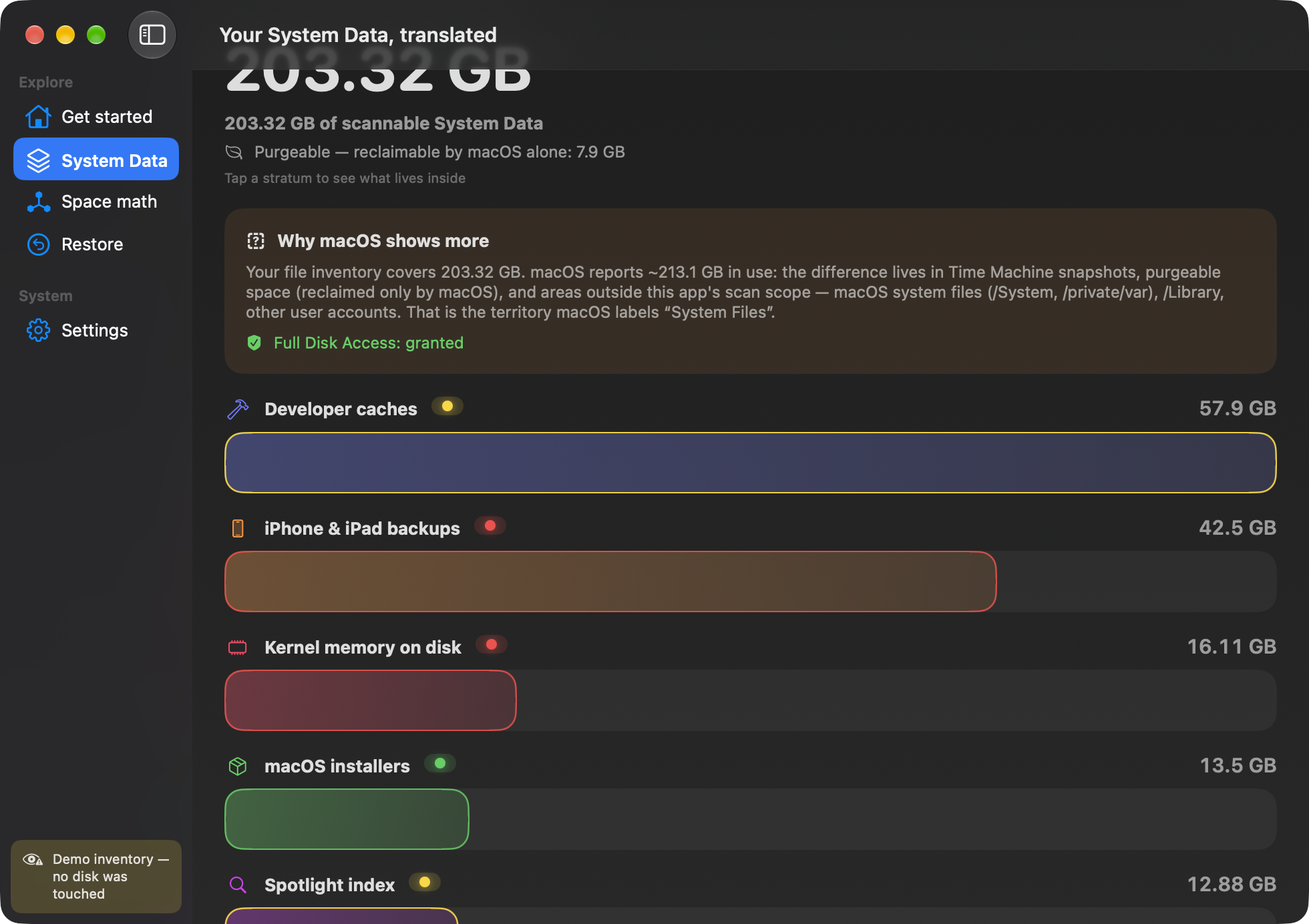
macOS only tells you “System Data: 40 GB”. Clean system data shows you what's actually inside, item by item — with a deterministic traffic light that tells you what's safe to clean, and an AI that explains every item in your language.
The Stratigraphy — your system data like a geological core sample. Each layer is a category, each color a verdict.
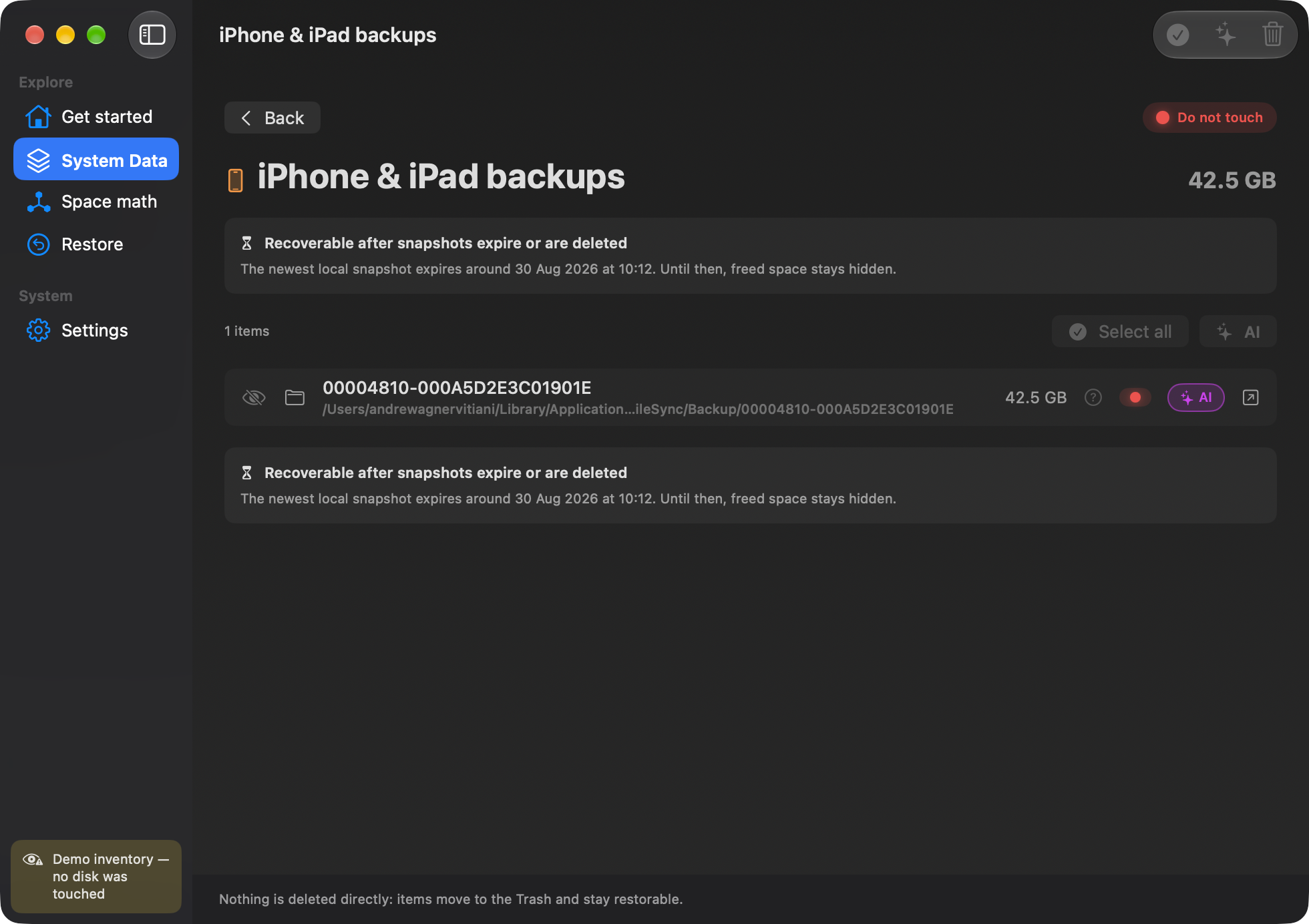
Every item gets a traffic light decided by deterministic rules — not by an AI that “thinks”.
Nothing is deleted directly: everything goes to the Trash, with Put Back guaranteed by our own manifest — macOS's is notoriously unreliable.
An AI button AI on every item explains what it is and why it has that color — in plain language, with sources, costs and timings out in the open.
An inventory of caches, logs, snapshots, dev builds and backups — every layer weighed in place, then colored by verdict. This is a real scan, from the app's demo inventory.
An inventory of caches, logs, snapshots, dev builds, backups and more — measured on your disk, not estimated.
Every item has a traffic light decided by deterministic rules and a clear explanation in your language, item by item. Optional: AI analysis.
Nothing is deleted directly: everything goes to the Trash with Undo always available, via an internal manifest.
Every item gets its verdict and its AI button. Red can't be cleaned — and nothing is ever deleted directly.
An AI button on every item tells you what that folder contains and why it has that color — in plain language, with cost and duration visible. One absolute rule: the traffic light is set by the rules, and the AI can never change it.
This folder is the browser's “storage room”: it keeps copies of pages you've visited so they reopen faster. It rebuilds itself whenever needed, so clearing it loses nothing important — you just get the space back.
With one search request the AI consults real sources and cites them — perfect for unknown items.
Explanations in English, Italian or Spanish, always consistent with the item's traffic light.
With the license: no API key to configure. Afterwards you can continue with your own key (BYOK).
Batch analysis reviews the whole selection at once — 9 items in about 30 seconds.
The verdict isn't an artificial intelligence that “thinks”: it's a set of deterministic, transparent rules — verified item by item on your macOS version.
Caches and logs that regenerate on their own. Verified item by item on your macOS version.
Useful but delicate: the app walks you through it step by step instead of blindly deleting.
Snapshots, iPhone backups, system volumes: clearly explained and never offered for deletion — rejected at the code level.
It tells you what the folder contains and why it has that color, in your language. The verdict always stays with the rules.
No direct deletion: everything goes to the Trash, with Put Back guaranteed by our own manifest.
An internal undo manifest: restore to the original location even after emptying, with collision handling.
No telemetry, no analytics, no uploads. The optional AI only receives the item's name and path — never file contents.
Why a “512 GB” drive shows 494, what purgeable space is, how much is really free: explained without jargon.
Interface, explanations and knowledge base entirely in English, Italian and Spanish — AI analyses included.
Includes 400 AI analyses. Take back your disk — and finally understand what was inside it.